
Picture the field you know best. Now draw it from memory. Mark the parts that always yield well, then the parts that always lag behind, like the wet corner or the sandy strip that dries out first.
You could do it in a minute. You know your field.
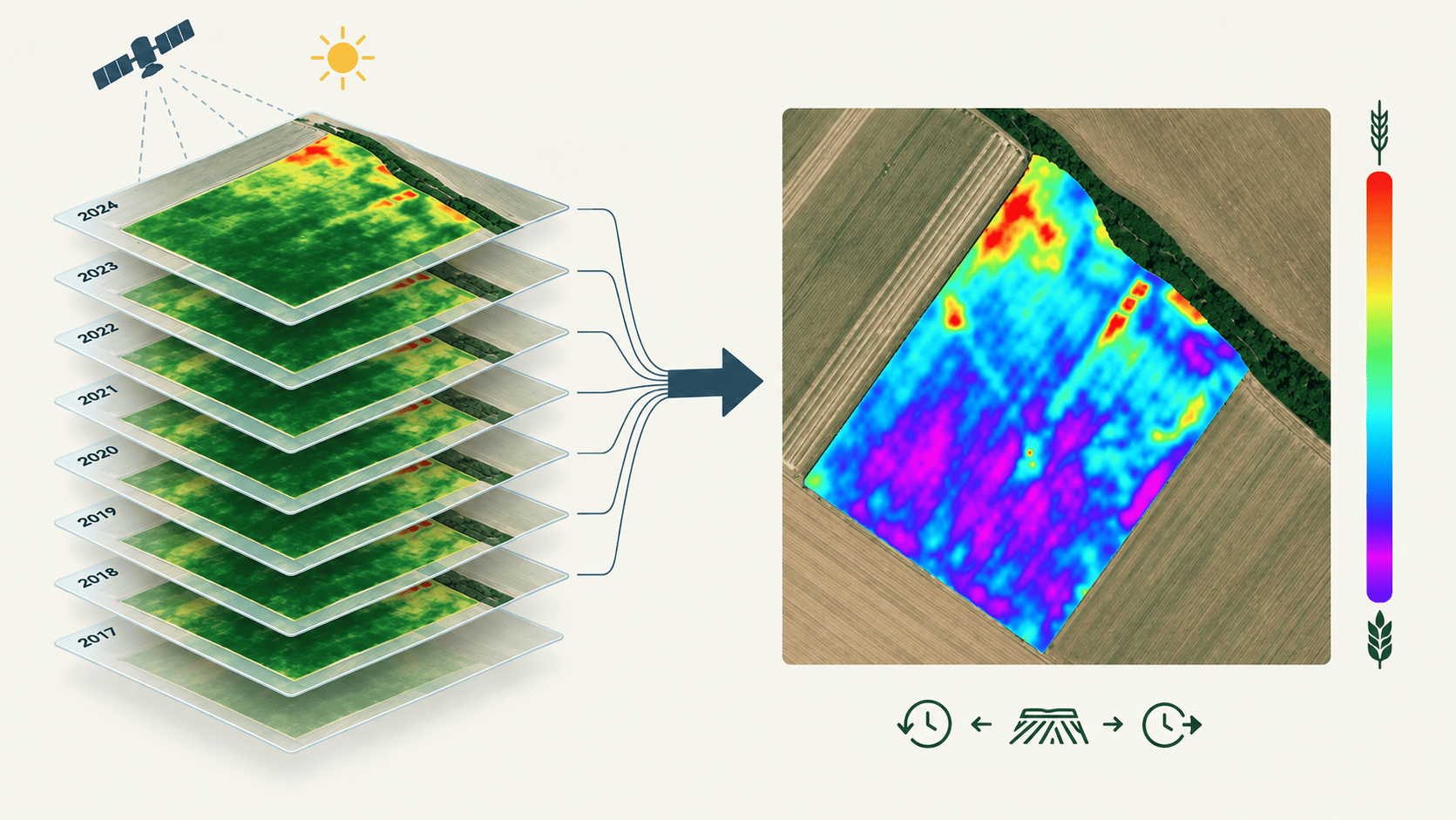
That drawing is the productivity potential map. It splits your field into higher and lower yielding zones, just like you did. Only the map is more precise: it also catches the small patches your memory skips.

And your drawing stays in your head. The map has exact borders, so your spreader or seeder can read it and change the rate by itself as it drives.
Built from years of satellite images, ready for you
One year can fool you. A dry spring hurts the light soil, a wet one drowns the hollows. Put seven to ten years together and the one-off differences cancel out. What stays is the pattern your field shows every year.
The satellite has been photographing your fields all that time. Subscribe, and the productivity potential map is ready for every one of your fields. No data to send, nothing to set up.
Seeding: you know the rate, the map knows where
Whether the strong zones get more seed or less depends on your crop and variety. Wheat, for example, often needs less seed on good ground, because it tillers and fills the space itself. You know what your crop needs. The map shows you where, and you know how much seed to order before you buy. On one durum wheat field, that meant 200 kg/ha in the stronger zones and 230 kg/ha in the weaker ones.
Fertilizing: ask why a zone is weak
Some ground yields poorly every year. With a flat rate, it gets the same nitrogen as the rest of the field, but the crop can’t use it. Often tens of kilos per hectare wash out or escape into the air. Meanwhile your best ground, which could turn more nitrogen into yield, gets only the average.
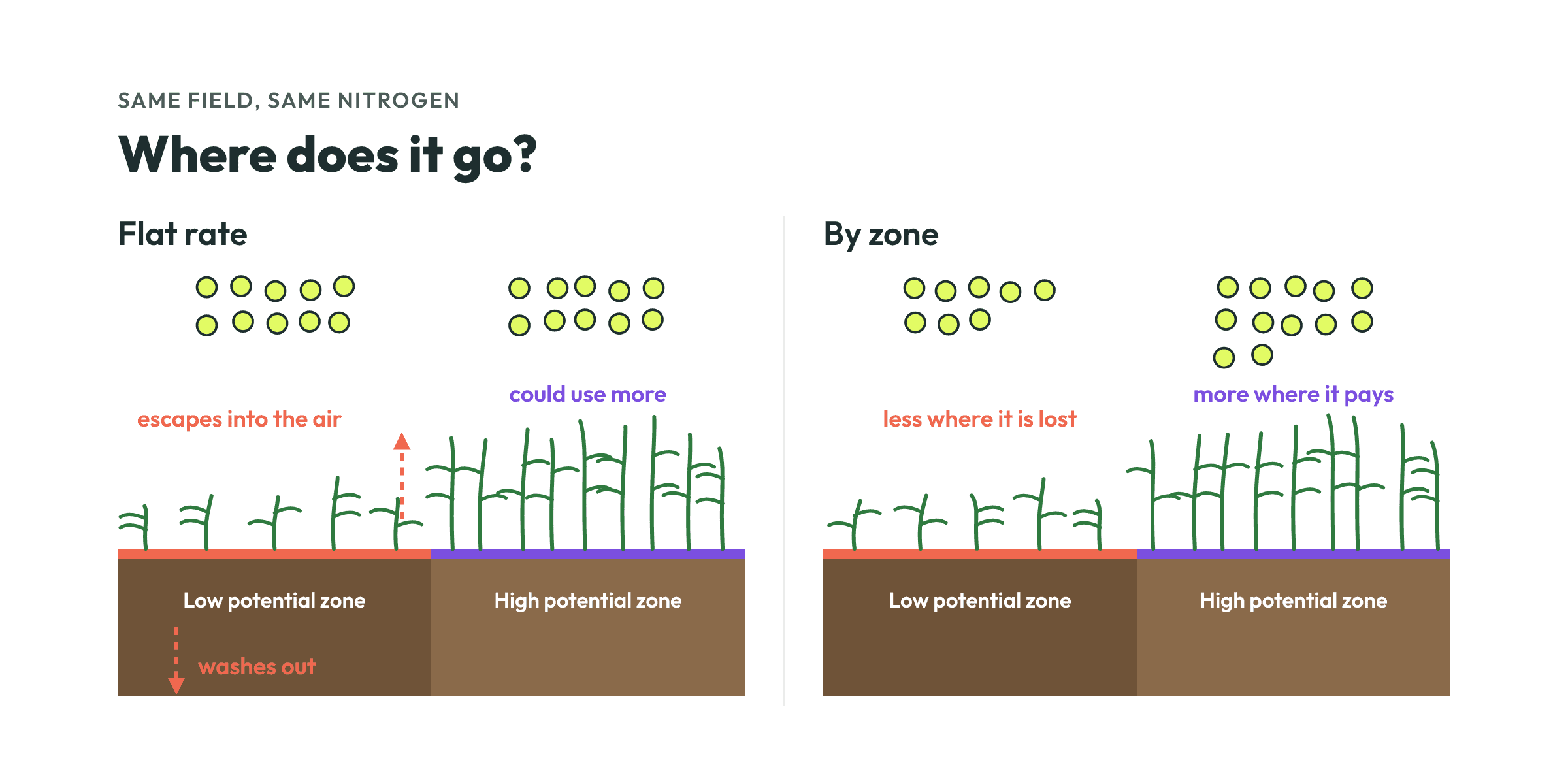
Before you set the rates, ask why a zone is weak. Early in spring, a thin stand can often still catch up, so giving the weak zones more makes sense. But if a zone is weak because the ground is wet, compacted, shallow or acidic, more fertilizer won’t help. Give less there and put it on the strong zones.
Start with the map, adjust if needed
The productivity potential map is where you start. Once the crop is up, a fresh satellite image shows whether this year is different. Sometimes it is damage, like frost, standing water or game. Other times the weather changes the usual pattern.
So which map do you build the zones from?
Choose the productivity potential map when nothing is growing yet, when the crop is still too small to show much, when there has been no clear image for weeks, or when this year’s picture looks like the usual pattern. It is also the safer choice when the crop is only stressed for a few days, after a herbicide spray for example, and will recover. On the field from the first picture, the picture from early March looks almost the same as the productivity potential map, so nothing has to change.
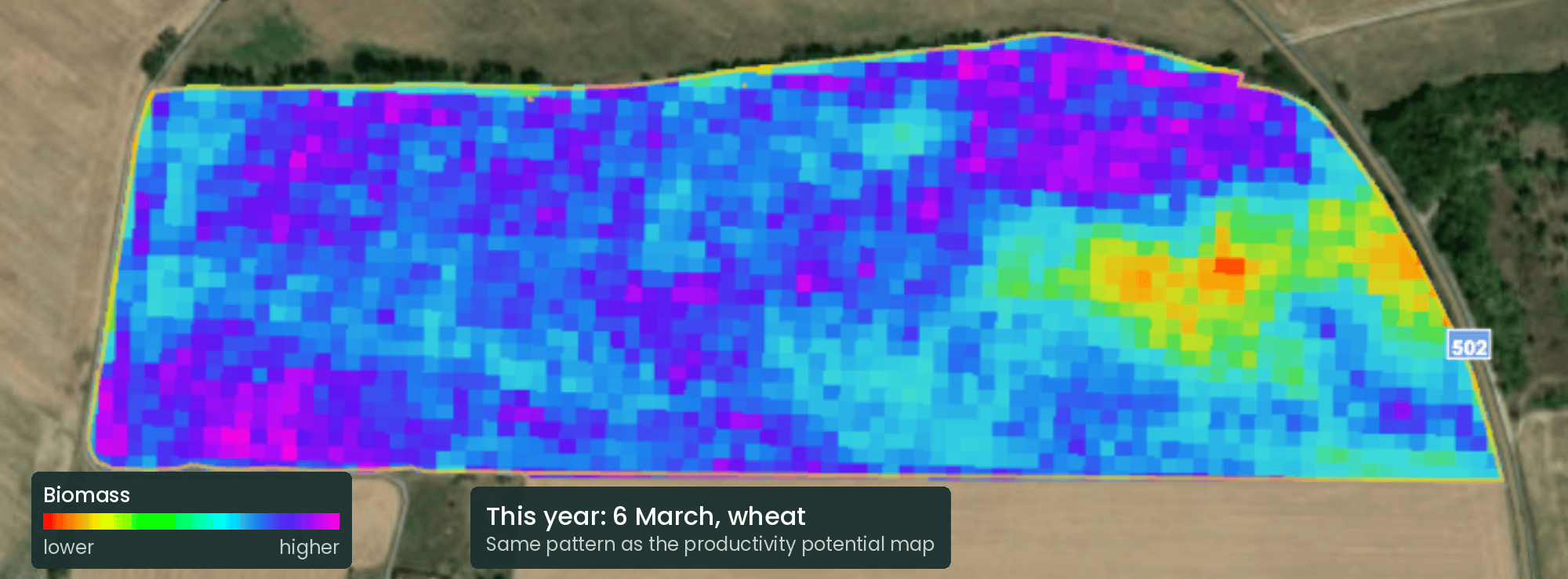
Choose the fresh satellite image when the field clearly behaves differently this year and it will last, like a crop that came through winter unevenly, as on this rapeseed field, or a weak zone that is doing well this season.
Try it on your own fields
Making the maps takes minutes. Choose the fields you want to treat, for example all your wheat. Set your normal rate and raise or lower the zones on the first field, then apply the same settings to all the others. Send the maps to the terminal and you are done. No drone needed, and it works with any machine that can do variable rate.
Register for free at portal.cultiwise.com to see your fields on the latest satellite images. With a subscription, you also get the productivity potential map.
Your field has been showing you the same pattern for years. Now you can put it to work.